
After getting an oil change, one of the most common things people need to do is reset the oil change light. This light serves as a reminder that your vehicle is due for an oil change, but once the oil has been replaced, the light doesn’t always go off automatically.
How to Reset Oil Change Light?
To reset the oil change light, turn the ignition to “on,” press the gas pedal three times within 5 seconds, and verify the light is off.
Key Takeaways:
- Resetting the oil change light ensures your vehicle’s maintenance schedule is accurate.
- Steps include turning the ignition on, pressing the gas pedal three times, and verifying the reset.
- Procedures differ slightly by vehicle make and model—check your owner’s manual for specifics.
- Troubleshooting tips include ensuring the procedure is done correctly and checking for sensor or electrical issues.
How to Reset the Oil Change Light (A Detailed Guide)
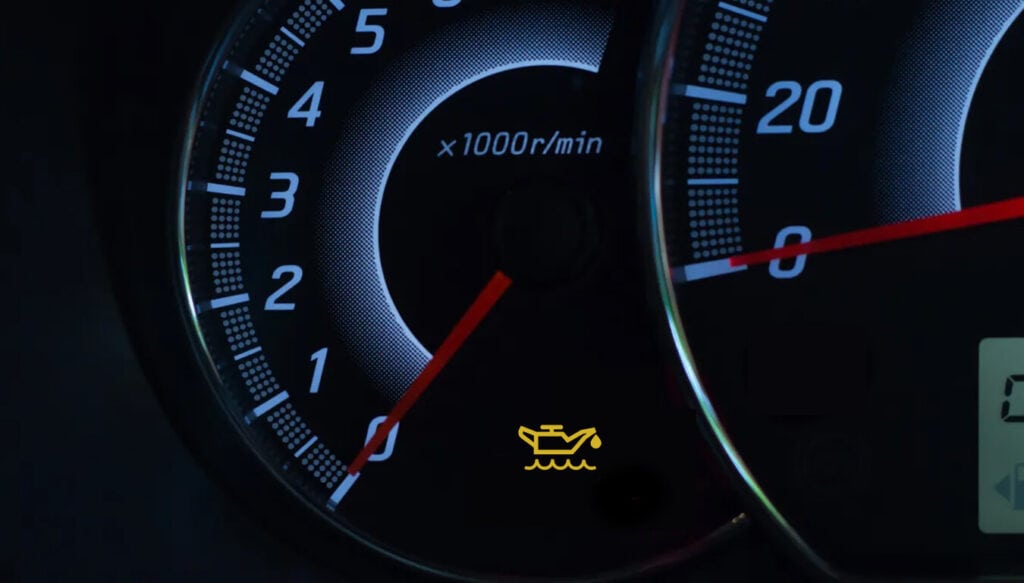
The process for resetting the oil change light can vary depending on the make and model of your vehicle. However, the general procedure is relatively similar across most cars. Here are the steps to follow:
Turn the Ignition to the “On” Position
Make sure your vehicle is turned off before starting. Then, turn the key to the “on” position without starting the engine. In newer cars with push-button starts, press the start button twice without pressing the brake pedal.
This will activate the dashboard lights, but the engine won’t start.
Press the Gas Pedal Three Times
Within 5 seconds, press the gas pedal three times. This step is essential for many vehicles as it signals the system to reset the oil change light. After pressing the pedal three times, turn off the ignition.
Turn the Ignition Back On
Turn the ignition back to the “on” position (don’t start the engine) to check if the oil change light has been reset. In most cars, the light will go off, indicating that the reset was successful.
Start the Engine and Verify
Start your engine and check the dashboard to ensure that the oil change light is no longer illuminated. If the light is still on, repeat the process or consult your vehicle’s owner manual for model-specific instructions.
While you’re checking dash lights, don’t ignore other warning signs—like weak airflow or weird smells from the vents. If your system’s acting up, a quick car HVAC repair in Monfort Heights can get your cabin comfort back on track before it gets worse. Many drivers also handle small issues like auto glass chip repair during routine maintenance checks.
Resetting the Oil Change Light for Different Car Brands
Although the process outlined above is common across many vehicles, some car brands may have different methods for resetting the oil change light. Here’s how to reset the oil change light for some popular car brands:
Toyota Oil Change Light Reset

Turn the ignition to the “on” position without starting the engine.
Press the gas pedal three times within 5 seconds. Turn off the ignition and then turn it back on to verify that the oil light has been reset. This is especially helpful if you’ve recently searched for toyota oil change near me monfort heights and completed your service locally.
Honda Oil Change Light Reset
Turn the ignition key to the “on” position (do not start the engine). Press the odometer button on the dashboard until the display reads “Odo.”
Turn the ignition off, then press and hold the odometer button while turning the ignition back on. The oil change light should reset after a few seconds.
Chevrolet Oil Change Light Reset
Turn the ignition to the “on” position. Fully depress the gas pedal three times within 5 seconds. Turn the ignition off and then start the car to verify the reset.
Ford Oil Change Light Reset

Turn the ignition to the “on” position. Press the gas pedal three times. Turn the ignition off and then start the engine to check that the light is no longer on.
For other makes and models, check your vehicle’s owner’s manual for specific instructions on how to reset the oil change light.
Troubleshooting: Oil Change Light Still On?
If your oil change light is still on after following the reset steps, there may be a few reasons why. Here are some common issues and how to resolve them:
Oil Change Light Reset Procedure Not Done Correctly
Sometimes, the reset procedure may not be followed accurately, or the timing may be off. Double-check the steps, making sure you press the gas pedal correctly and that you’re within the required time frame.
If you have any issues while doing that, I would highly encourage you to get our oil changing service in Monfort Heights. If you have an Audi, we specifically offer oil change for Audi in Monfort Heights and for many other brands like Ford. This also applies when handling a Nissan full service oil change for drivers who prefer complete maintenance support. For BMW owners, understanding the bmw oil change price can help plan your vehicle’s maintenance budget effectively.
Faulty Oil Change Light Sensor
In rare cases, the oil change light sensor may be faulty and continue to illuminate even after an oil change. If this happens, you may need to consult a mechanic to have the sensor replaced.
Oil Change Not Completed
If the oil change is not completed properly, the light may not reset. Double-check with your mechanic to ensure the oil change was performed correctly and that the oil filter was replaced.
Electrical Issues
If your vehicle has electrical problems, the oil change light may malfunction. Check for any electrical issues or blown fuses that could be preventing the reset.
How Often Should You Reset Your Oil Change Light?
The oil change light is typically set to illuminate every 3,000 to 7,500 miles, depending on the vehicle and type of oil used.
However, after performing an oil change, it’s important to reset the light to start the cycle again. If you are unsure when your next oil change is due, you can refer to your vehicle’s manual or ask your mechanic for guidance.
Tips for Maintaining Your Oil Change Light
To ensure that your oil change light continues to work properly, follow these tips:
Stick to the Recommended Oil Change Schedule
Always follow the manufacturer’s recommended oil change intervals. Regular oil changes are crucial for the health of your engine and can prevent problems with the oil change light.
Use the Right Type of Oil
Ensure you’re using the correct type of oil for your vehicle. Using the wrong type of oil can affect the efficiency of your engine and the performance of the oil change light.
Check Your Oil Regularly
It’s important to check your oil level and condition regularly. Low or dirty oil can affect engine performance and lead to premature oil changes. Check your oil every few weeks or as recommended by your vehicle’s manufacturer.
Keep Your Dashboard in Check
If your oil change light is not functioning properly, it may be time to get the sensor checked. Keeping an eye on all your dashboard lights ensures that any issues with your vehicle are addressed promptly.
Frequently Asked Questions
1. Why is my oil change light still on after resetting it?
If your oil change light remains on, it could be due to a malfunctioning sensor, an incomplete oil change, or electrical issues. Check with a professional mechanic to diagnose the problem.
2. Can I reset my oil change light myself?
Yes, resetting the oil change light is easy and can be done by following the manufacturer’s instructions for your vehicle’s make and model.
3. How often should I reset my oil change light?
You should reset the oil change light after every oil change, typically every 3,000 to 7,500 miles, depending on the oil type and your vehicle’s recommendations.
Conclusion
Resetting your oil change light is an important task to ensure that your vehicle’s maintenance schedule is up-to-date. While the process is simple, it varies slightly depending on the make and model of your vehicle.
